The price almost doubled at the last step
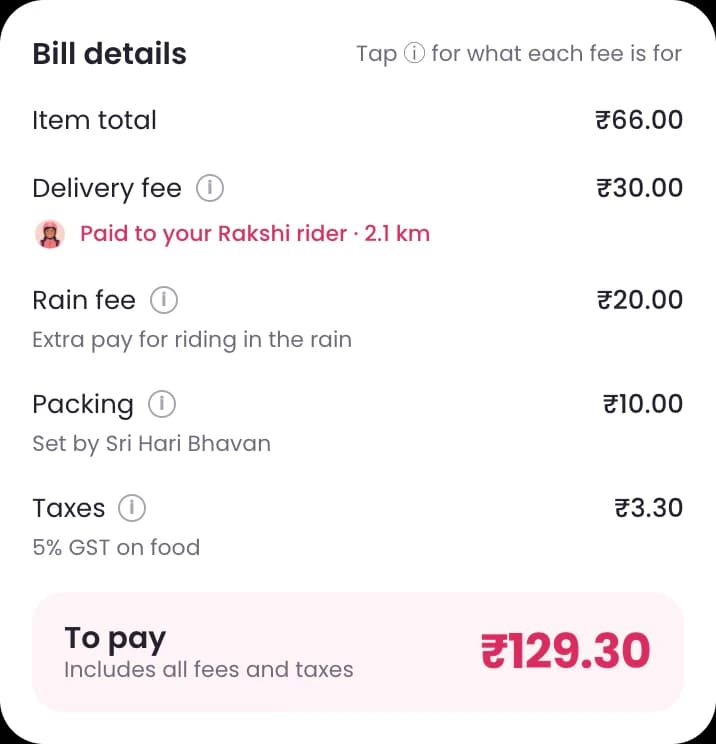
In the Zenzio app today, the cart shows only the food price. Order one Sambar Idly and the cart says ₹66. The delivery fee, rain fee, packing and taxes appear only after you tap Checkout. Then the total is ₹129.30.
That is 96% more than the first number you saw. Each fee may be fair. But finding them at the last step feels like a trick, right when you decide whether to pay.
Today
₹66 to ₹129.30
The cart shows the food price. Fees appear after Checkout.
Redesign
₹129.30
The same number in the cart, on the Pay button and on the receipt.
So every fee moved onto the cart screen
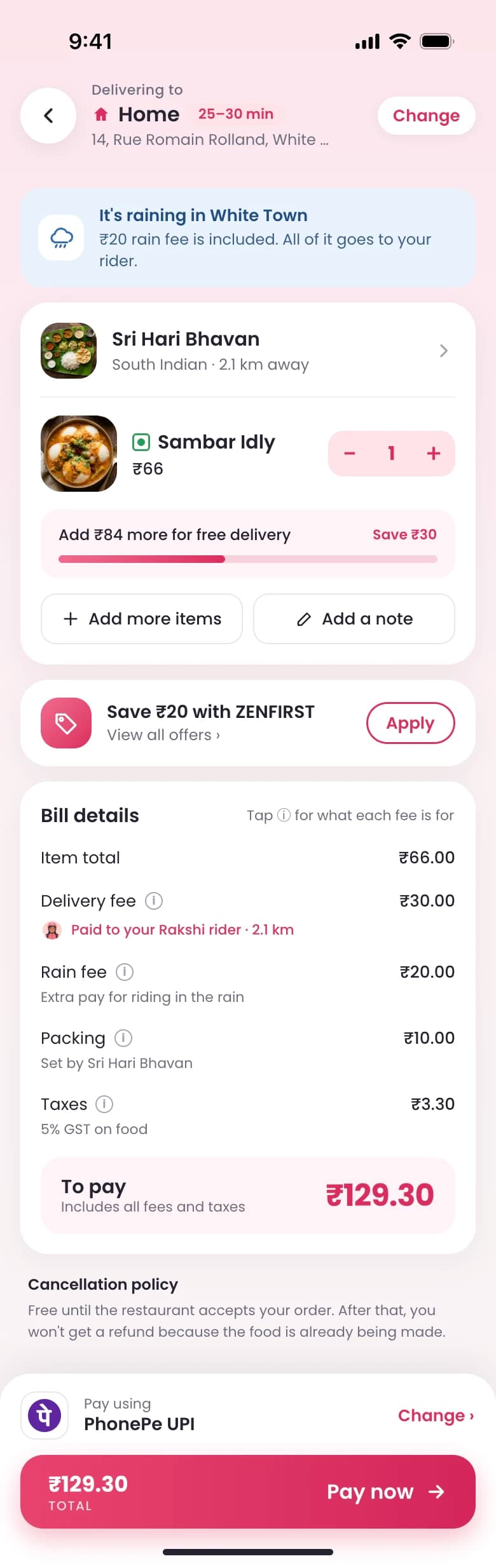
I set one rule: one price, everywhere. The bill now lives on the cart screen, with every fee and a short reason for it. The total you see there is the total on the Pay button, and the total on your receipt.
The six choices below all come from that rule.
1. The address comes first
A wrong address is the most costly mistake in food delivery. So the address and the delivery time sit at the very top of the cart, where you check them first.
Changing the address takes one tap, and the fees update right away.
2. Fees that change are announced, not found
Some fees depend on conditions, like the rain fee. If it is raining near the restaurant, a note at the top of the cart says so, before you reach the bill.
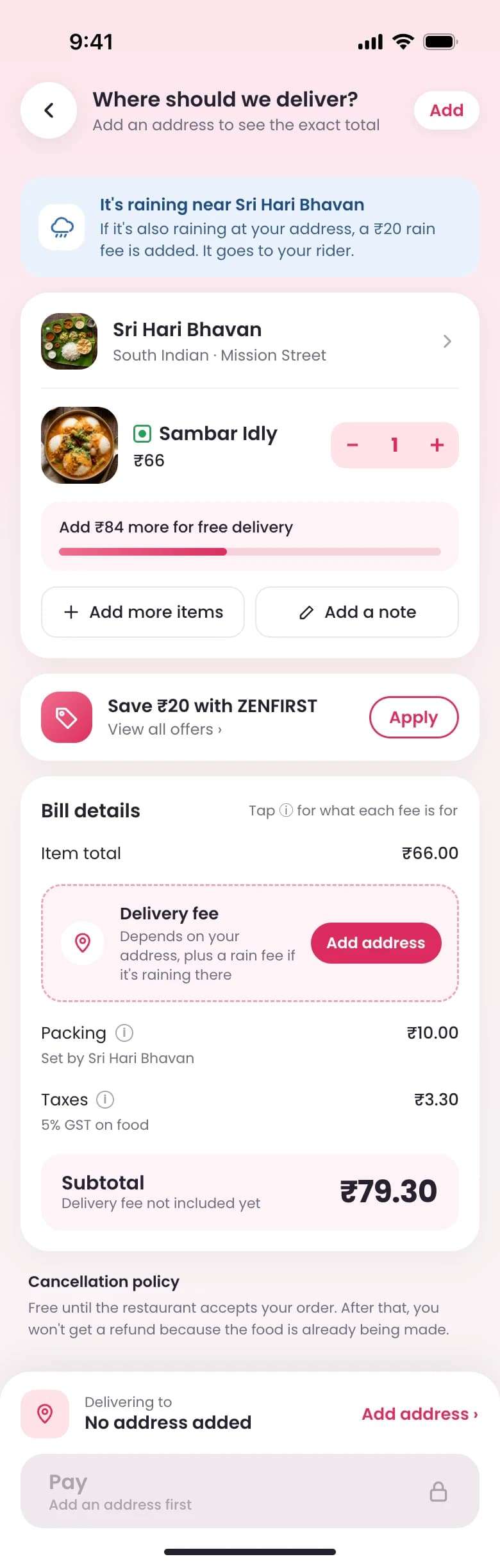
If the rain starts after you open the cart, a sheet shows the old total, the new fee and the new total. You see the change before you are charged, not after.
3. No address, no guessed total
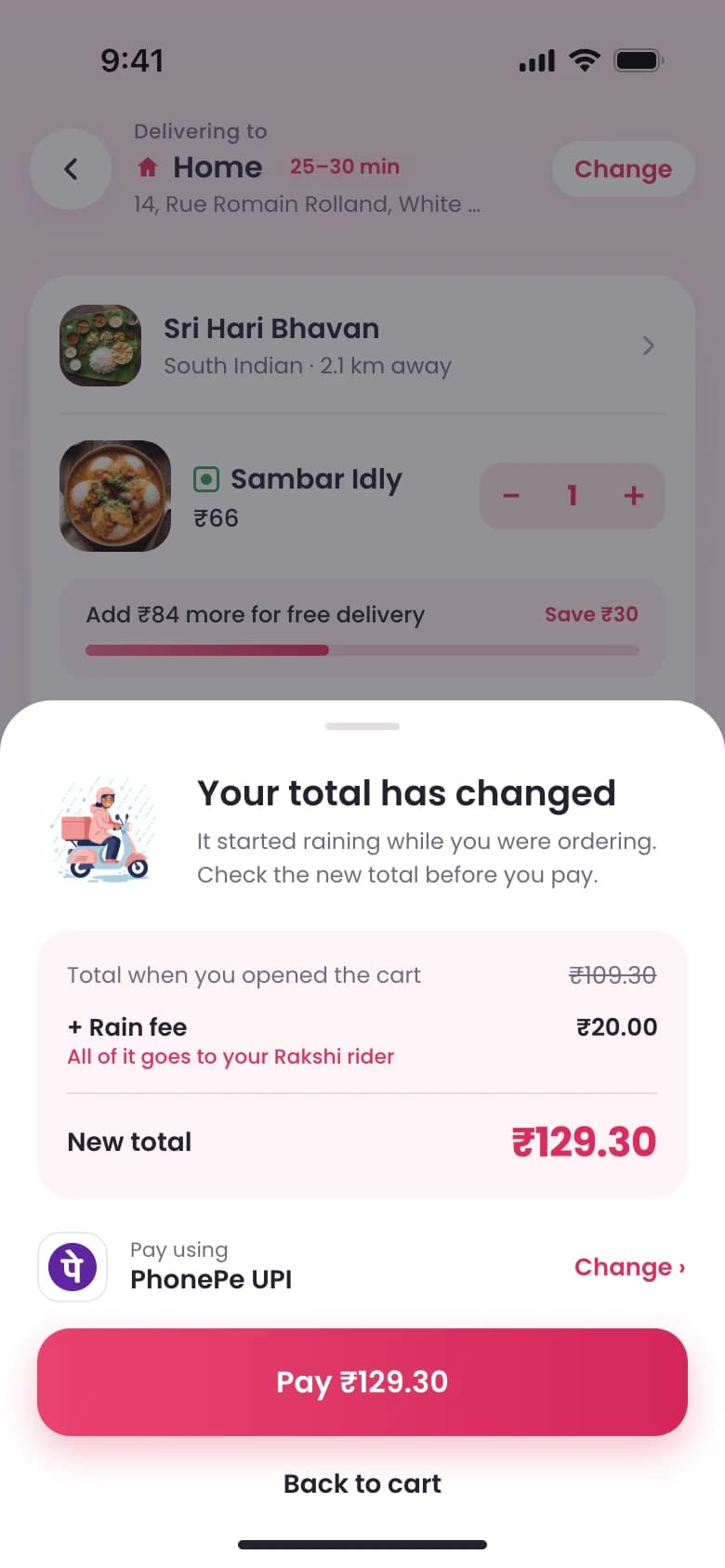
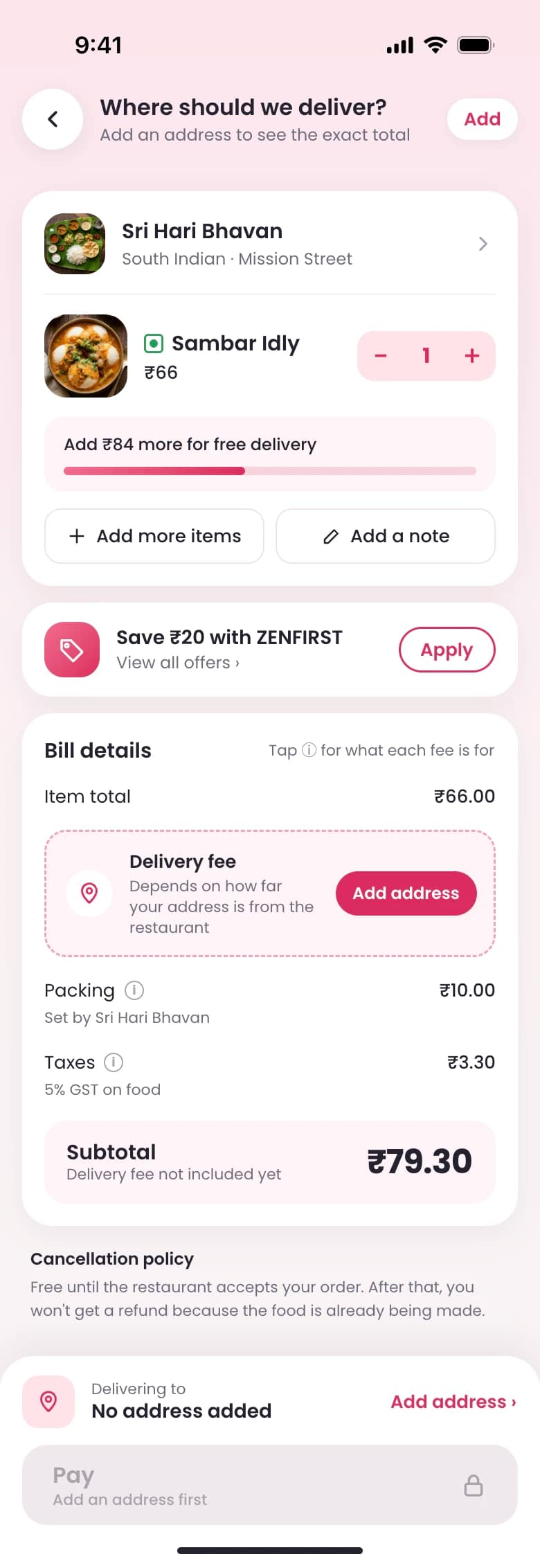
A new user may not have an address saved yet. The delivery fee depends on how far you are from the restaurant, so I did not guess it.
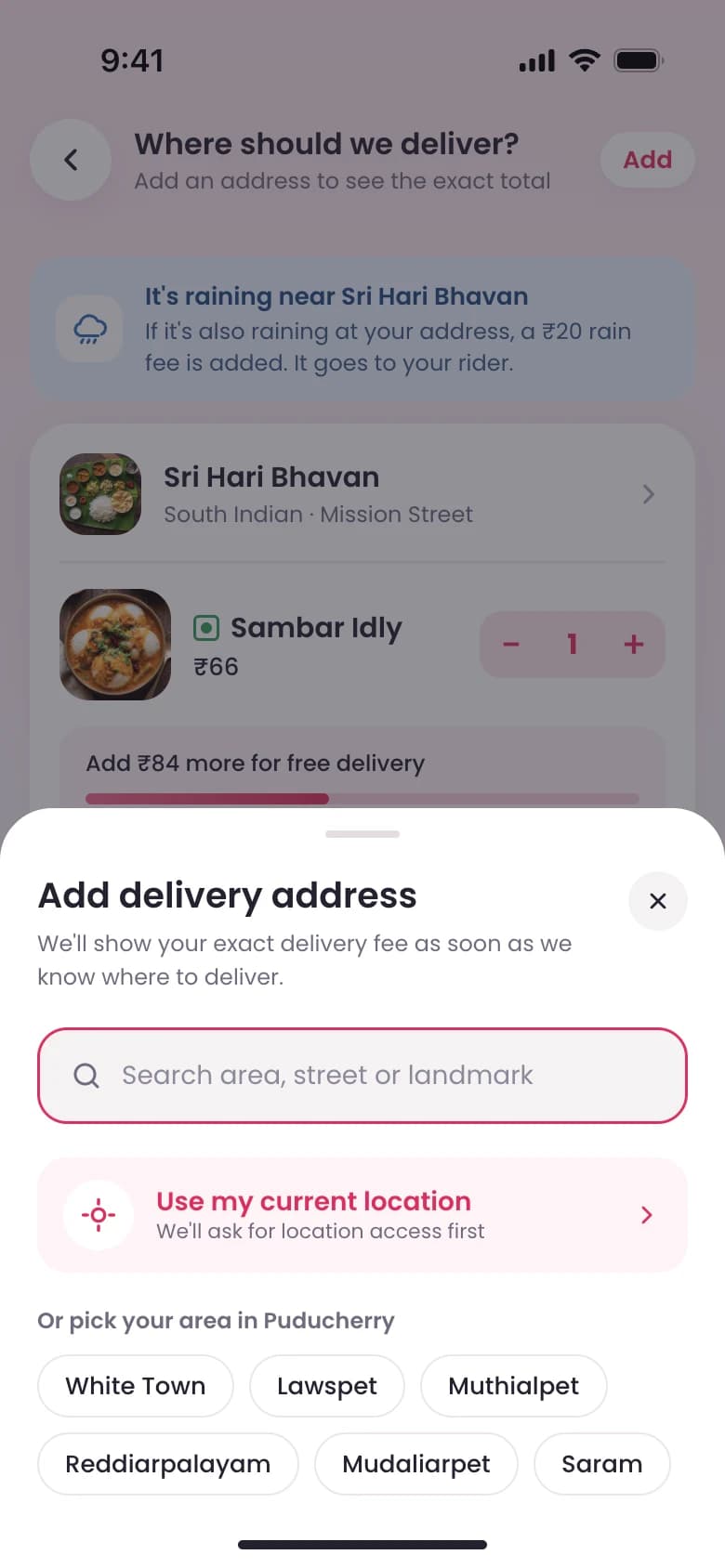
The bill shows a subtotal and says the delivery fee is not included yet. The Pay button stays locked until there is an address. Tapping Add address opens a sheet: search, use your current location, or pick your area in Puducherry.
4. Small orders get a nudge, not a hidden fee
On a ₹66 order, the fees add up to ₹63.30. Hiding them does not change that. A bigger order does.
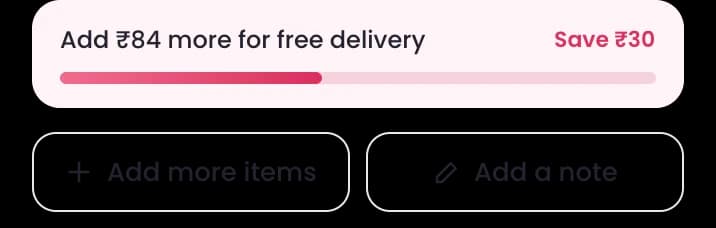
So the cart shows how much more to add for free delivery, and how much you save. Zenzio earns more per order, and nothing is hidden.
5. Every fee says what it is for
Each line in the bill has a short reason under it. The delivery fee says it is paid to your Rakshi rider. The rain fee is extra pay for riding in the rain. Packing is set by the restaurant.
This way Zenzio's mission explains the price, instead of sitting in a banner. The fee split still needs confirming with Zenzio before this copy can ship.
6. The price on the button is the price you pay
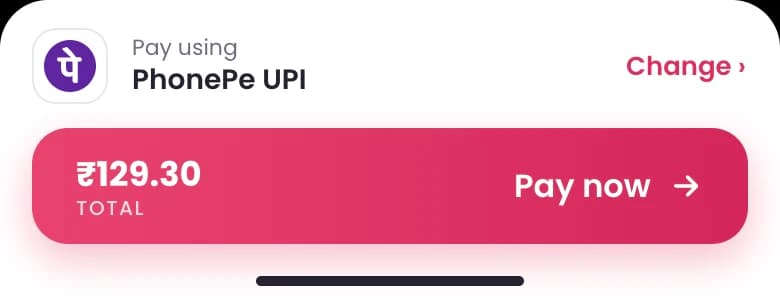
Your last payment method is already picked, and the total sits on the Pay button. There is no second Checkout screen, so the price cannot change between steps.
What I took out
- The separate Checkout screen. It was the step where the price jumped.
- The tip before ordering. It now comes after delivery, so it does not add to the price while you decide.
- Search inside the cart, and the large Clear button.
How we would know it worked
- More carts turn into paid orders. That is the number to watch, not taps on Checkout.
- More repeat orders within 30 days.
- Fewer support tickets about fees.
- Taps on the cart's main button may go down. That is expected, not a failure: people now see the full price before they tap.
This has not shipped yet, so there are no results to report.